This article describes a variety of features on IX | IXG Series systems, including transfer rules and station calling capacity.
Call Queuing
Answering stations can receive up to 20 incoming calls simultaneously. Caller information is displayed on a call queue list with call priority clearly marked, allowing users to select the most urgent call.
Station Paging
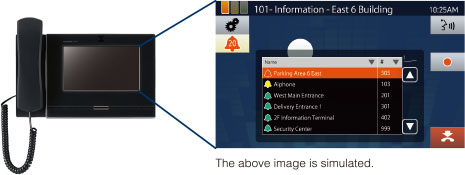
An answering station can page all stations (up to 500) or specific paging groups. Paging can either be live audio from the answering station or prerecorded audio files. Paging amplifiers and external sound sources can be connected for additional coverage and options.
Custom Audio Files
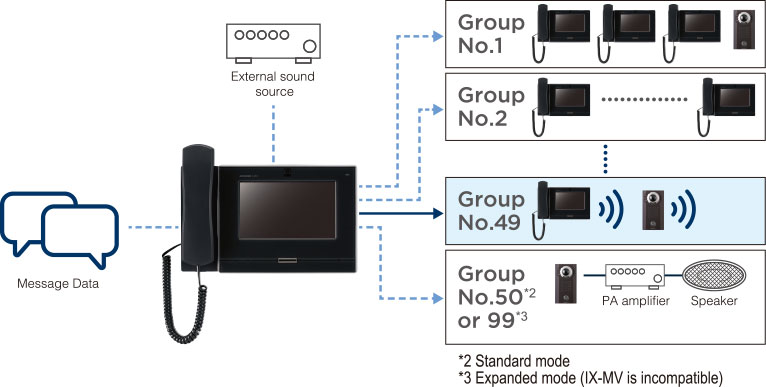
Station sounds, including ring tones and status messages, can be replaced with custom audio files. For example, the door release confirmation at a door station can be replaced with a declaration that the door is open, or the ring tone at an answering station can identify the specific station calling in.
Door Station Communication Status
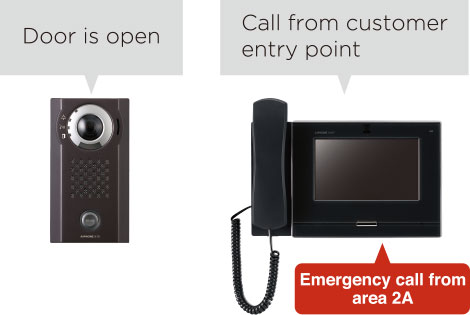
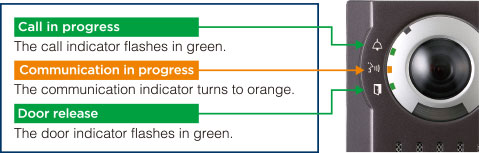
The lights on each door station indicate the status of the call.
Unicast and Multicast Calling
The system supports unicast and multicast calling. Unicast is the default, which allows stations to call up to 50 other stations at the same time. Multicast increases this limit to 500, but requires extra configuration on the site's network.
Email Reports
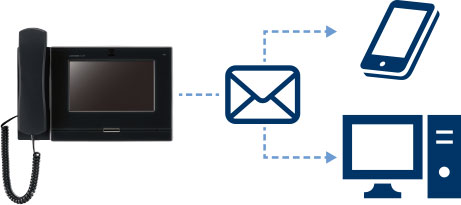
Answering stations (IX-MV7, IXG-MK, and IX-SOFT) can be configured to send an email with the visitor's picture attached when they receive a call. Error and health check reports can also be sent. Up to 3 email addresses can be assigned.
Transfer Settings
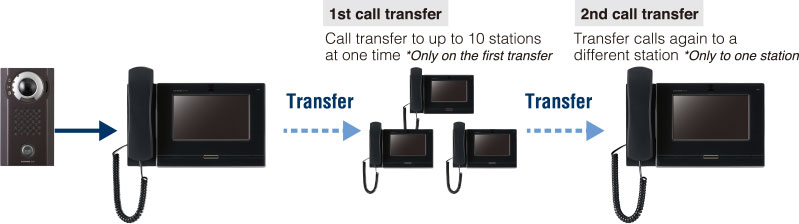
Answering stations (IX-MV7, IXG-MK, and IX-SOFT) can transfer calls to other stations. There are a variety of transfer options available.
Manual Transfer
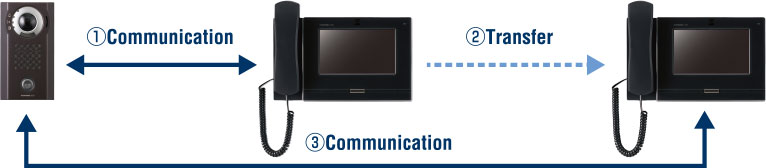
Calls can be placed on hold and manually transferred by the operator.
Delay Transfer
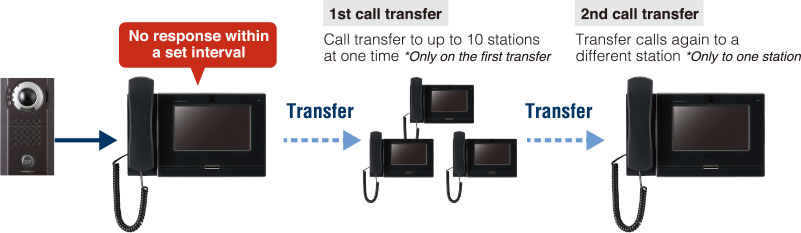
After a set time, the call will be sent to a designated station or group of stations.
Absent Transfer
When the answering station's transfer button is triggered, calls automatically go to a designated station or group of stations.
Schedule Transfer
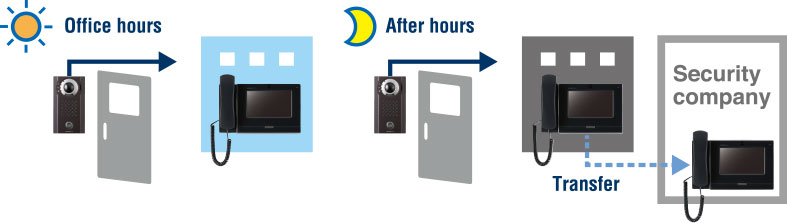
Calls are automatically transferred to a preset station or group of stations during a designated time.
Call Modes
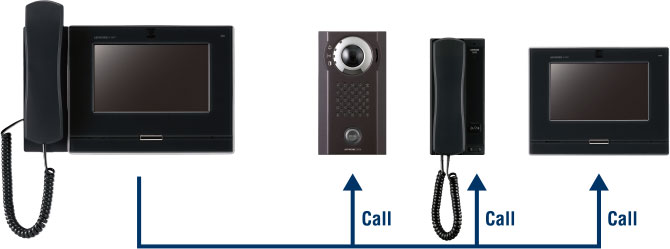
Different call modes are available, depending on the model of station.
Individual Calls
Answering stations can call other stations individually.
Group Calls
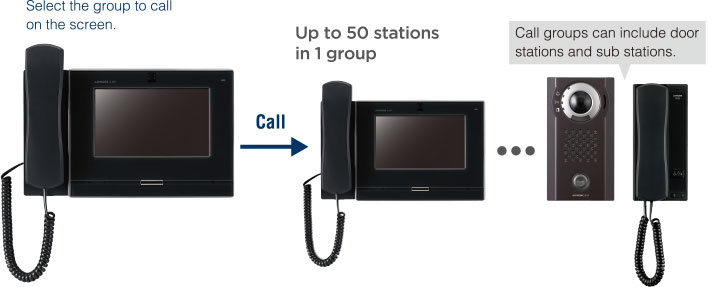
Answering stations can call up to 50 (IX Support Tool in standard mode) or 99 (IX Support Tool in Expanded Mode, or all systems programmed in IXG Support Tool) stations at the same time.
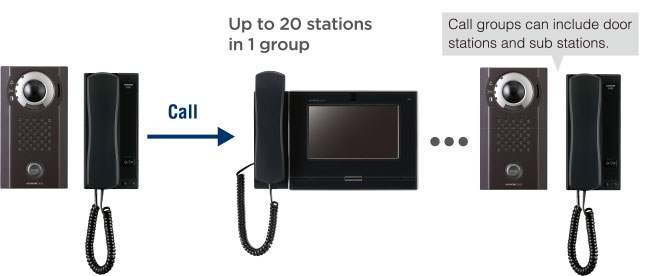
Door and Sub Stations
Up to 20 stations can be called at once. Each station can have up to 10 groups registered. Door and sub stations can reroute their call groups based on a schedule or if the call is not answered in a set period.
Door Station Audio
Accordion Body
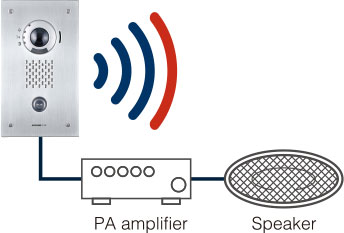
The stations' audio is sufficient for most environment. Station audio can be routed to amplified speakers or amplifiers for increased audio and more paging options.
Audio and Video Recording
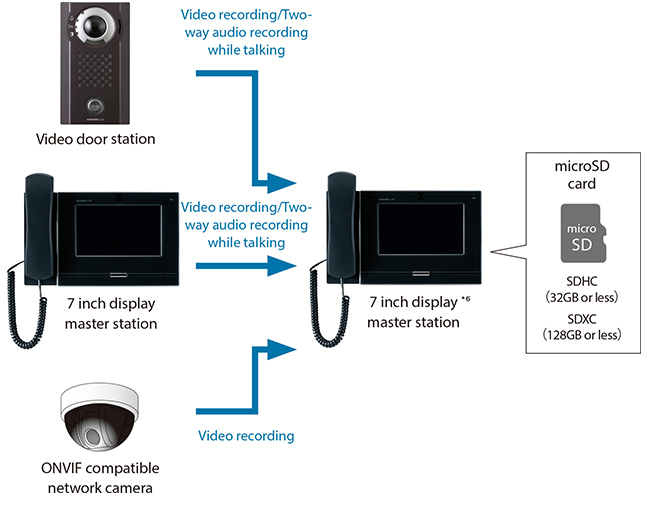
Audio and video can be recorded in a variety of ways.
Local Recording (Answering Stations)
Recorded video and audio can be played on answering stations, PCs, and other devices. Answering stations (IX-MV7 and IXG-MK) can record onto microSD cards. IX-SOFT PC answering stations can record audio directly onto the PC's hard drive.
Local Recording (Door Stations)
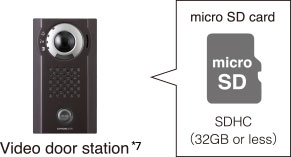
Select IX | IXG Series door and entrance stations can support a microSD card for audio and video recording.
Third Party Integration (NVR/VMS)
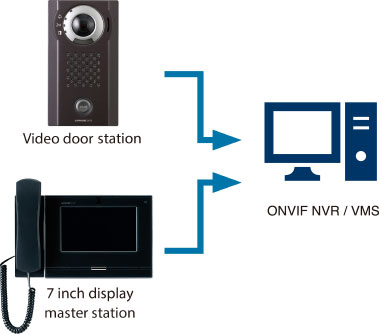
Use ONVIF Profile S to stream video and audio to a third party NVR/VMS to supplement the site's security cameras.
Answering Station Call Features
Two Way Video Calling
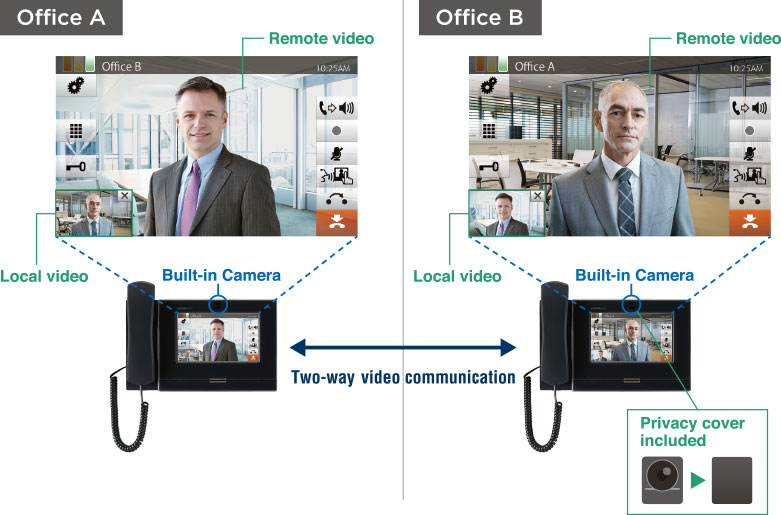
IX-MV7 and IXG-MK answering stations can use their embedded camera for two way video calling.
Reception Mode
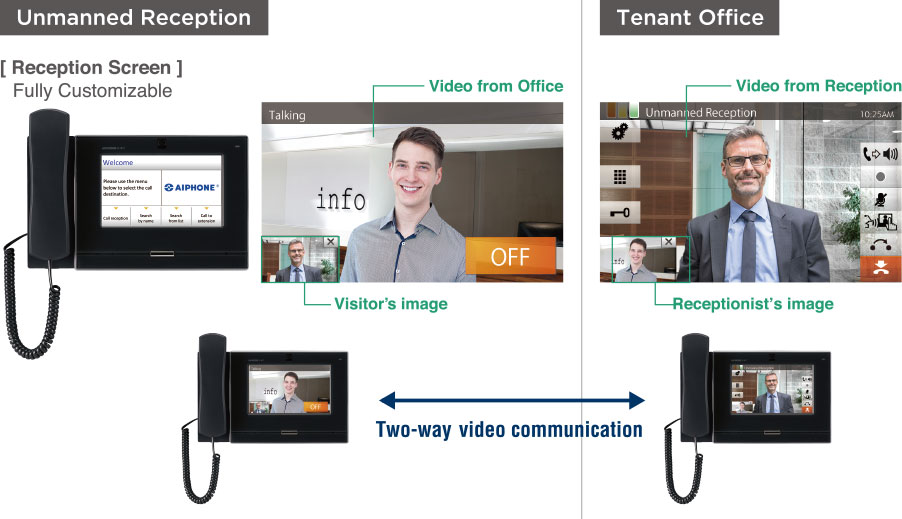
IX-MV7 answering stations can be placed on reception desks in reception mode. Visitors can use the interface to call a desired station or group of stations of their choice.
IP Camera Integration
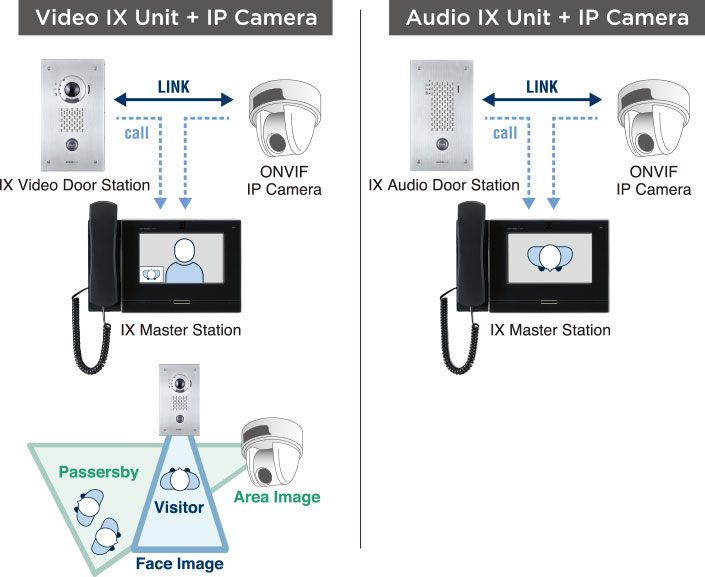
Third party cameras can be integrated with an IX | IXG Series system. This can be used to provide video to audio-only doors, or provide picture in picture when paired with a video door station.
Automatic System Status Supervision
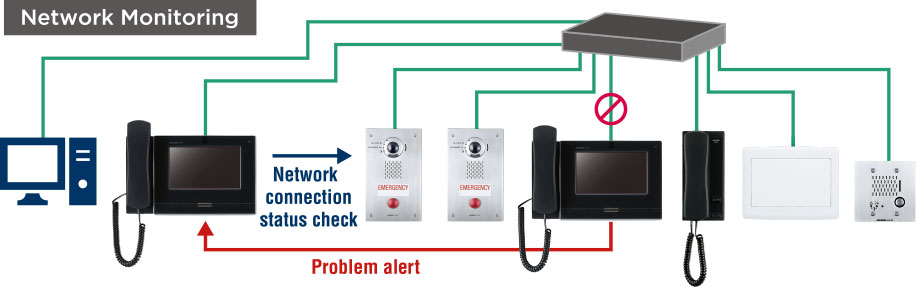
Answering stations can be used to check network and function status on stations.